Pricing

Pay for conversations you actually resolve

Set your monthly volume and see the exact price. No seats to buy.

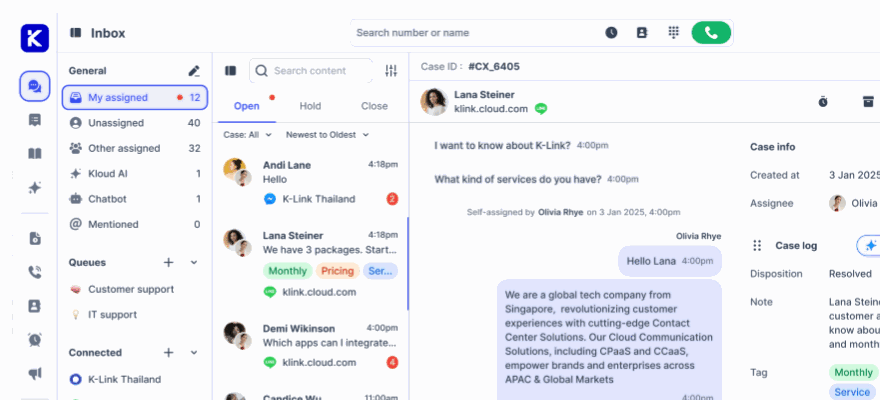
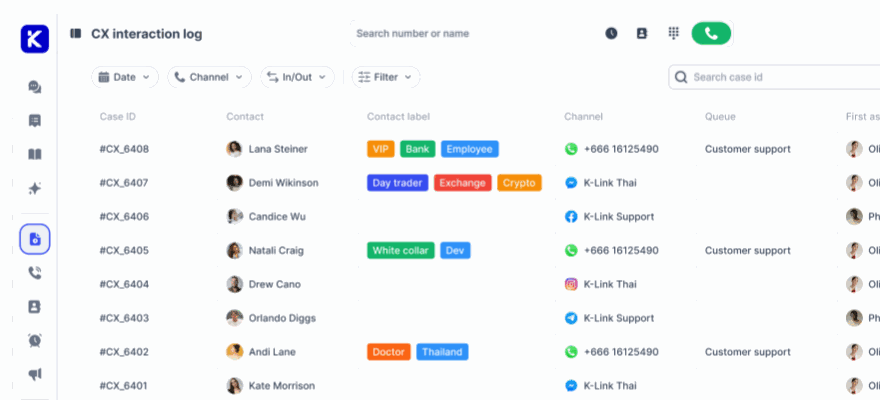
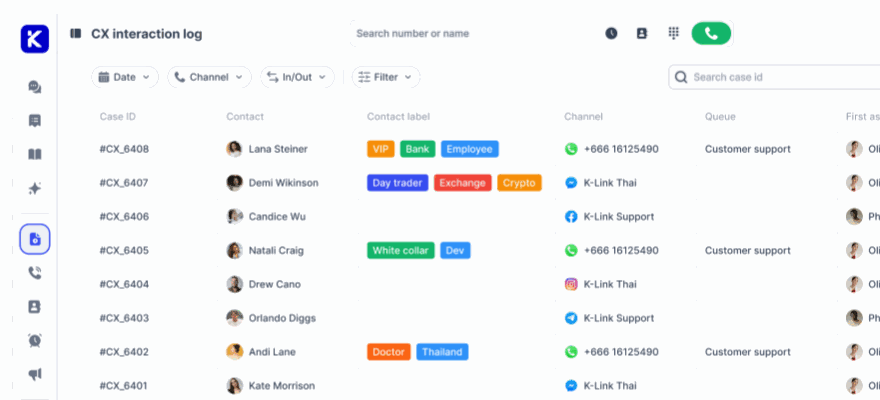
Monthly resolved conversations💬 What Is a Resolved Conversation?A Resolved Conversation is one complete customer interaction, from the first message to the final resolution, handled by your Human or AI Agent through klink.cloud.It counts once per customer session, no matter how many messages are exchanged or which channel is used (WhatsApp, LINE, Facebook Messenger, Email, Live Chat, etc.).Each conversation gets a unique Case Number (like a ticket ID) and is fully trackable in your Inbox and CX Log.Our outcome-based pricing ensures you only pay for conversations that are successfully resolved, aligning cost with real customer value. 1,000 conversations
1k5k10k25k50k

Pay as you go

For small teams starting out. No commitment.

$0.20

per resolved conversation, billed only when it is resolved

Try for free
  • Unlimited users
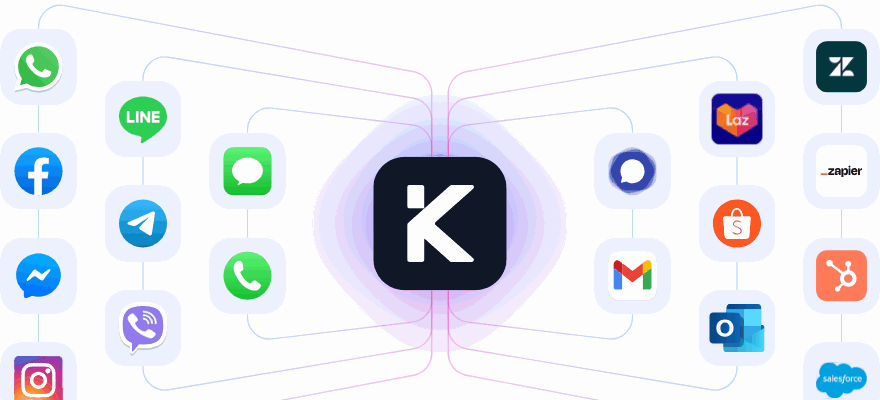
  • Unlimited messaging channels
  • Kai AI agent included
  • Customizable prompt, tone and languages
  • Email support
Most popular

Growth

For teams that need automation, SLAs and volume pricing.

$99 /month

Includes 1,000 resolved conversations

Get started
  • Everything in Pay as you go
  • SLA, queue and workflow automation
  • Action APIs and MCP tools
  • Webhooks and external app integrations
  • Onboarding and priority support

Enterprise

For large organisations with security and scale needs.

Custom

Volume based discount

Schedule a demo
  • Everything in Growth
  • Enterprise-grade security
  • Custom workflows and AI fine-tuning
  • Dedicated onboarding and success team
  • Private cloud or on-premise deployment

Compare every feature

All 124 features across the three plans. Expand any section to read what each one does.

Features
Pay as you goTry for free
EnterpriseContact sales
Channels15
Connected Channels
Unlimited
Unlimited
Unlimited
Facebook Messenger
Facebook FeedsAssign and manage Facebook comments within unified inbox
Instagram Channel
LINE Official Account
Telegram Business
Viber for Business
Add-on
Add-on
WhatsApp Official Business API (Meta)
$45/number
$45/number
WhatsApp Mobile (QR Scan)
Lazada
Shopee
SMS , MMS
Add-on
Add-on
Custom SIP Trunk (BYOC)
Email
Live Chat / In-App Chat
Key Features14
Unified Team InboxManage live chat, social media & messaging channels efficiently
Outbound / Inbound Calling ⓘCloud telephony dialer for seamless sales and support team operations
SMS ChannelSend / Receive SMS, MMS
Add-on
Add-on
Unlimited
Case ManagementAutomate case tracking between your agents and customers.
CRM ContactsStore and manage customer contact information with customized data fields
Unlimited
Unlimited
Unlimited
Reports & AnalyticsAccess detailed analytics reports and dashboards for actionable insights
Multi-Level SLA SetupConfigure SLA rules based on customer profiles or conditions for superior service.
Workflow AutomationAutomate conversation routing based on keywords, business hours, and more.
Multi-Level Business HoursSet up and manage multiple business hours and holidays with ease.
Post Call/Chat Wrap-Up FormCollect and organize data entry, dispositions, notes, tags, and more post-interaction
Call Recordings & Cloud StorageSecure cloud storage to save call recordings, chat history, attachments, photos, videos, and more
Unlimited
Unlimited
Unlimited
Custom API IntegrationsSeamlessly integrate custom APIs for enhanced functionality.
CRM & ERP IntegrationsConnect with Salesforce, HubSpot, SAP, and other third-party integrations
Onboarding & Dedicated SupportCustom Onboarding, User Training & 24/7 Support
Unified Inbox12
Shared InboxConsolidate all customer interactions from various channels into a single, organized inbox, enhancing efficiency and collaboration.
Chat AssignmentsAutomatically or manually assign chat conversations to the most suitable agents based on expertise and availability, optimizing workload distribution
Auto Case LoggingAutomatically log and create cases for every interaction, ensuring no customer inquiry is missed, improving team productivity, reducing customer waiting times, and minimizing abandonment rates
TagsCategorize and organize conversations with custom tags, making it easy to prioritize and manage high volumes of inquiries
NotesAdd internal notes to conversations for seamless collaboration and context-sharing among team members, improving issue resolution
Track Handle TimeMonitor the time taken to handle each conversation, helping to identify bottlenecks and optimize agent performance
Track First Response TimeMeasure the time taken to respond to a customer’s initial inquiry, ensuring timely engagement and improving customer satisfaction.
Track Resolution TimeTrack the duration from the initial contact to the resolution of an issue, providing insights into efficiency and effectiveness.
Quick Response TemplatesUse pre-crafted response templates for common inquiries to ensure consistent, fast, and professional communication
Smart Filters and SearchAdvanced filters and search capabilities to quickly locate and manage specific conversations in high-volume environments.
Custom Tags and LabelsCreate and apply custom tags and labels to organize and categorize conversations according to your specific needs and workflows
Chat Wrap-Up FormUtilize wrap-up forms post-chat to collect essential data, notes, and dispositions, ensuring all necessary information is captured and organized
Telephony21
Virtual Phone NumberObtain virtual phone numbers to establish a local presence in multiple regions without the need for physical offices
Add-on
Concurrent CallsSupport for handling multiple simultaneous calls, ensuring customers experience minimal wait times
10 Concurrent
Unlimited
Unlimited
Outbound CallingEnable your sales and support teams to make outbound calls to customers and prospects, boosting outreach and engagement
Inbound CallingEfficiently manage incoming calls with intelligent routing to ensure they reach the right agents quickly
Call TransferSeamlessly transfer calls between agents or departments to provide customers with the most appropriate assistance
Call RecordingsRecord and store call conversations for quality assurance, training, and legal compliance purposes
Call QueuingOrganize incoming calls into a queue to be answered in the order they are received, improving customer satisfaction
Multi-Level IVRImplement multi-level Interactive Voice Response (IVR) systems to automate call routing and provide self-service options to callers
Call NotesAllow agents to add notes during or after calls to capture important details and context for future reference
Call TagsCategorize and label calls with custom tags for easy organization and retrieval, enhancing call management
DispositionUtilize call dispositions to categorize the outcomes of calls, aiding in reporting and follow-up actions
Post-call Wrap Up FormPrompt agents to fill out wrap-up forms after each call to ensure all relevant information is documented and organized
Advanced Call RoutingRoute calls based on advanced criteria such as agent skills, caller history, and predefined rules to optimize call handling
Business HourDefine and manage business hours to control call routing and agent availability, ensuring calls are handled appropriately
Queue Call BackOffer customers the option to receive a call back instead of waiting on hold, improving their experience and satisfaction
Branded Music On HoldCustomize the hold experience with branded music or messages, keeping customers engaged while they wait
Queue / Ring Agent GroupOrganize agents into groups for efficient call distribution and management, ensuring calls are routed to the best available agents
Call MonitoringMonitor live calls in real-time for quality assurance and training purposes, helping agents improve their performance
Call WhisperingProvide discreet assistance to agents during live calls without the customer being aware, enhancing support quality
Queue WallboardA real-time dashboard that provides a comprehensive view of call queues, agent performance, and key metrics to optimize call center operations. Monitor active calls, wait times, and agent status to ensure efficient queue management
Dedicated Telephony Admin PanelManage all telephony settings, features, and configurations from a dedicated admin panel, giving you complete control over your telephony system
Ticket Management11
Level 2 Ticket ManagementEfficiently track, manage, and resolve Level 2 customer tickets from a centralized system
Ticket PrioritizationSet priorities for Level 2 tickets to ensure timely resolution of high-importance issues
Ticket RoutingAssign Level 2 tickets to the appropriate agents based on predefined rules.
Customizable Ticket FieldsCustomize ticket fields to capture all necessary information for Level 2 support needs.
Multi-Channel TicketingConvert customer inquiries from various channels (email, chat, phone, social media) into Level 2 tickets
Ticket Tags and CategoriesOrganize Level 2 tickets with tags and categories for easy searching and filtering
Collaborative TicketingEnable multiple agents to collaborate on resolving complex Level 2 tickets
Internal Notes / CommentsAdd private notes to Level 2 tickets for internal team collaboration.
Real-Time NotificationsReceive real-time notifications on Level 2 ticket updates and agent assignments.
Ticket History and Audit TrailMaintain a complete history and audit trail of all Level 2 ticket interactions
Reporting and AnalyticsGenerate detailed reports and analytics on Level 2 ticket performance and agent productivity.
Analytics & Reports34
Queue Service LevelMonitor the service level of call queues to ensure timely responses and meet service level agreements (SLAs)
Total CallsTrack the total number of inbound and outbound calls handled by your contact center
Missed CallsView the number of calls that were not answered by agents, helping to identify areas for improvement.
Abandoned CallsAnalyze the number of calls where the caller hung up before being connected to an agent
Answered Calls / ChatMeasure the number of calls and chat sessions successfully handled by your agents
Average Waiting TimeCalculate the average time customers wait in the queue before being connected to an agent
Average Call / Chat DurationDetermine the average duration of calls and chat sessions to assess efficiency and productivity
Queue Comparison ReportCompare performance across different queues to identify trends and areas for optimization
Disposition ReportGenerate reports on call dispositions to understand the outcomes and categorize interactions
Call Tags ReportAnalyze the frequency and types of tags used in calls for better call management and categorization
Chat Tags ReportReview the tags applied to chat conversations to gain insights into common issues and topics
Conversation Activity ReportTrack the overall activity of conversations, including initiation, response, and resolution times
Total Conversation OpensMonitor the total number of conversations opened by customers, indicating engagement levels
Total Closed ConversationsView the number of conversations successfully resolved and closed by agents
Unassigned & Open ConversationsKeep track of conversations that are unassigned or still open, ensuring timely follow-ups
Average First Response TimeMeasure the average time taken for agents to respond to initial customer inquiries
Average Resolution TimeCalculate the average time it takes to resolve customer issues from start to finish
Conversation Traffic Heat Map ReportVisualize peak times and patterns of conversation traffic to optimize staffing and resources
Hourly Conversations ReportBreakdown of conversation volumes on an hourly basis to identify busy and slow periods
Daily Conversation ReportDaily summaries of conversation activities to track performance and trends
Monthly Conversation ReportMonthly reports that provide an overview of conversation volumes and key metrics
Custom Filter by Date / Time / Agents / ChannelsApply custom filters to analyze data by specific dates, times, agents, or communication channels
CDR (Call Details Reports)Detailed call logs providing comprehensive information on each call made and received
Call Recording ReportsAccess and review reports on call recordings for quality assurance and compliance.
Agent Call Statistics ReportDetailed statistics on individual agent performance, including calls handled and outcomes
Agent Call Activity ReportMonitor the activity levels of agents, including call volumes and durations
SIP Trunk Activity ReportAnalyze the activity and performance of your SIP trunk connections.
Queue Average Waiting & Talking Time ReportDetailed metrics on average waiting and talking times within queues to enhance performance
Queue Performance ReportComprehensive performance reports for all queues, highlighting strengths and areas for improvement
Agents Missed Call ActivityTrack missed calls by agents to identify training needs and improve response rates
Agents Call SummarySummarized data on each agent's call activity, including total calls, durations, and outcomes
IVR Satisfaction SurveyGather and report on customer satisfaction data collected through IVR surveys
Real-time Agent Status ReportReal-time updates on agent availability and status to manage workloads effectively
Agent Check-in/Check-out Activity ReportMonitor agent check-in and check-out times to ensure adherence to schedules and productivity
Integrations3
Ecommerce Channels
Add-on
Add-on
Add-on
Custom API Integration
CRM Integrations
AI Agent5
Conversational AI Self-service ChatbotEnable customers to resolve issues independently with an intelligent, self-service chatbot
Auto Call / Chat SummarizeAutomatically generate summaries of calls and chat interactions
Call / Chat TranscriptionConvert voice and text conversations into accurate transcriptions for easy reference
Auto Topic DetectionIdentify and categorize conversation topics automatically for better analysis
Auto Sentiment AnalysisAnalyze the sentiment of customer interactions to improve responses & satisfaction
Support & Services9
Self-service User Manual & Documentation
Email Support
24/7 Live Chat Support
Dedicated Key Account SupportReceive personalized support from dedicated account managers for tailored solutions and guidance
Service-Level Agreement (SLA)
Enterprise Security & Compliance
SSO AuthenticationSecure access with Single Sign-On (SSO) authentication.
Private Cloud or On-Premise DeploymentRun the platform in your own cloud tenancy or inside your own data centre.
Custom Workflows & AI Fine-TuningWorkflows built with you, and the AI agent tuned on your own conversations.

Add-on features are available on request. Talk to sales for volume pricing on any row marked as an add-on.

Pricing questions

What counts as a resolved conversation?

One complete customer interaction, from the first message to the final resolution, handled by a person or by Kai. It counts once per customer session no matter how many messages are exchanged or which channel it arrives on, and each one gets a unique case number that stays trackable in your inbox and CX log.

Do I pay for every message?

No. Billing is per resolved conversation, not per message. A customer can send twenty messages across WhatsApp and email in one session and it still counts once.

What happens if I go over my monthly volume?

Nothing breaks. Additional conversations are billed at your plan rate, and you can move up a volume tier at any time to lower the per conversation cost.

Can I pay in my local currency?

Yes. Pricing is available in USD, THB, EUR, SGD and MYR. Use the currency selector above to see your local rate.

Is the AI agent included, or an add-on?

Kai is included on every plan, including Pay as you go. There is no separate AI licence fee.

Do you charge per agent seat?

No. Every plan includes unlimited users, because you are billed for resolved conversations rather than for seats. Adding someone to the team does not change the bill.

Can I keep my existing phone numbers?

Yes. Bring your own SIP trunk or carrier, or get new virtual numbers in over 100 countries. No migration is required.

Try it free, pay only for outcomes

Connect your first channel in minutes. You are not billed until a conversation is actually resolved.

No credit card required. Cancel anytime.